
 Counter-Strike 2
You just ate a 13-3 loss and you swear your aim is fine. The CS2 live stats tab says different. Checking your real-time numbers mid-match is the fastest way to tell if it’s your spray, your positioning, or your duo who’s inting on B.
Last updated: April 14, 2026, tested on the Animgraph 2 Beta build after the April Thera patch.
What are CS2 live stats and how do I check them?
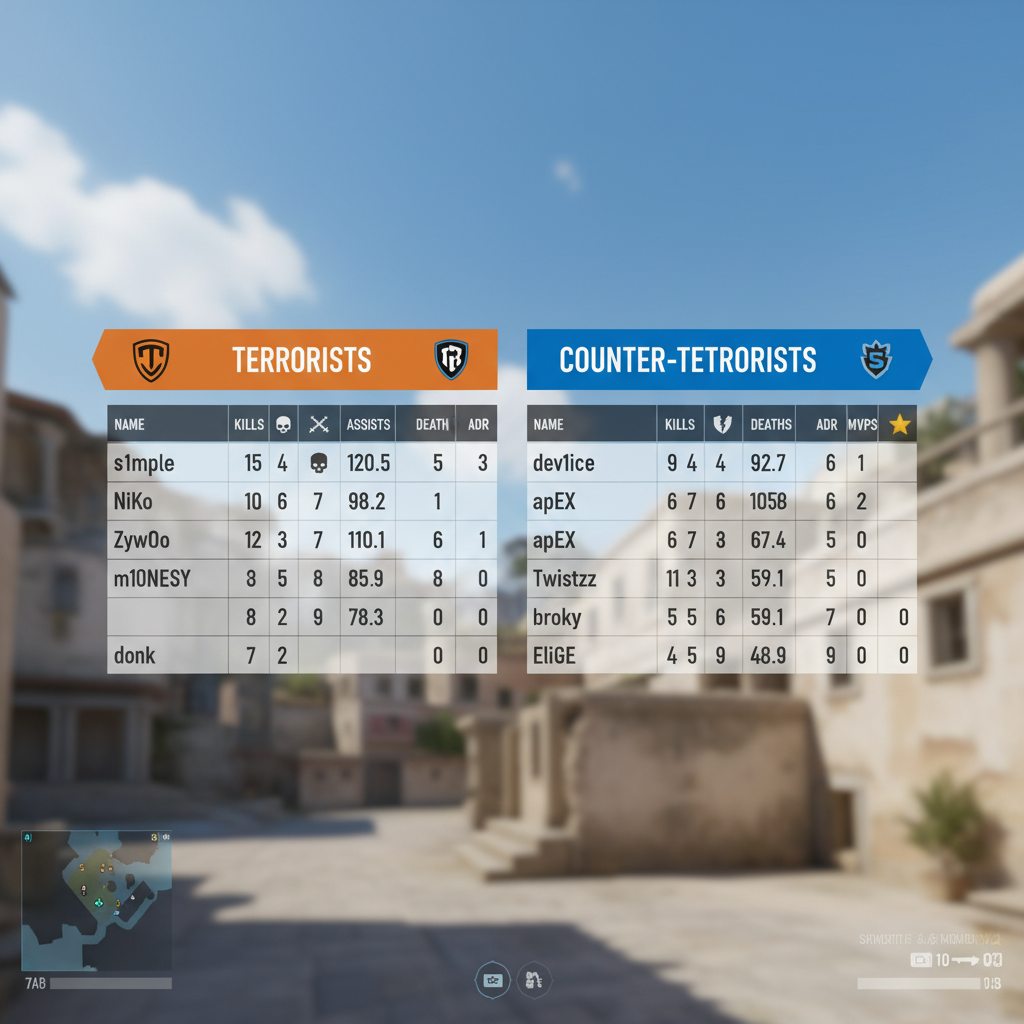
CS2 live stats are the real-time performance numbers you can pull up during or right after a match: kills, deaths, ADR, KAST, headshot percent, and MVPs. You check them by tapping Tab in-game for the scoreboard, or by linking your Steam profile to a tracker like csstats.gg, Leetify, or Tracker.gg.
The in-game scoreboard is your fastest read. Hit Tab, right-click to free your mouse, and click Cycle Stats at the top to swap the default columns for ADR, KAST%, enemies flashed, and utility damage. According to the Counter-Strike Wiki scoreboard page, MVPs are worth two points toward your score. Useful context, but not what I’d pin my climb to.
External trackers go deeper. They store every match, chart your rating trend, and compare you to your rank’s average. The downside: they only update after the match ends, so they’re “live” in a loose sense.
How do I see my FPS, ping, and net graph in CS2?
Short answer. Settings → Game → Telemetry → turn on Show FPS and Frame Time. Done.
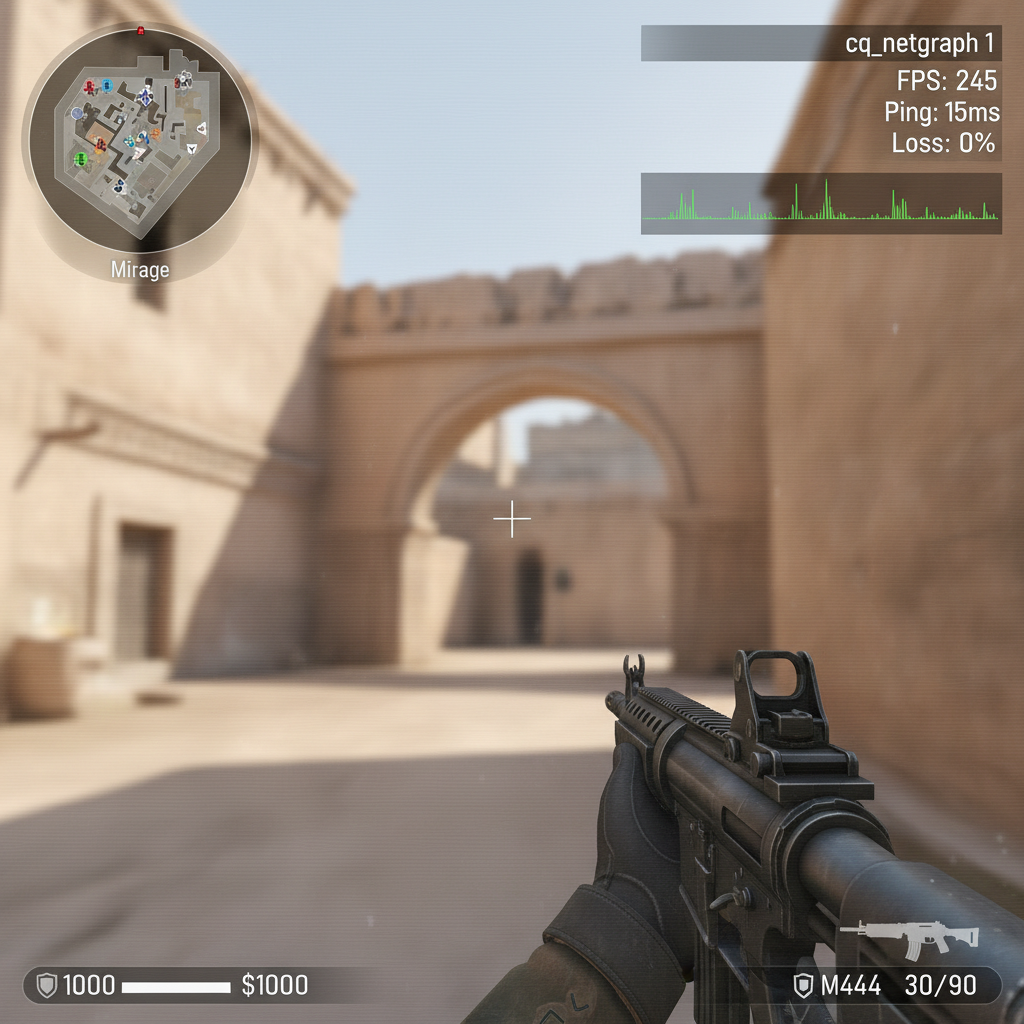
If you prefer console, cl_showfps 1 gives you FPS only in the top-left. cl_showfps 2 adds server tick and latency. Levels 3 and 4 stack extra info like current map and performance mode, per the Totalcsgo net_graph guide.
The old net_graph command? Gone. Valve yanked it when CS2 shipped. The replacement is cq_netgraph 1, which draws a ping and loss graph in the top-right. Pair it with cq_netgraph_problem_show_auto 1 and it only pops up when your connection actually hiccups. I run it hidden until I start eating 60ms spikes, then it’s right there.
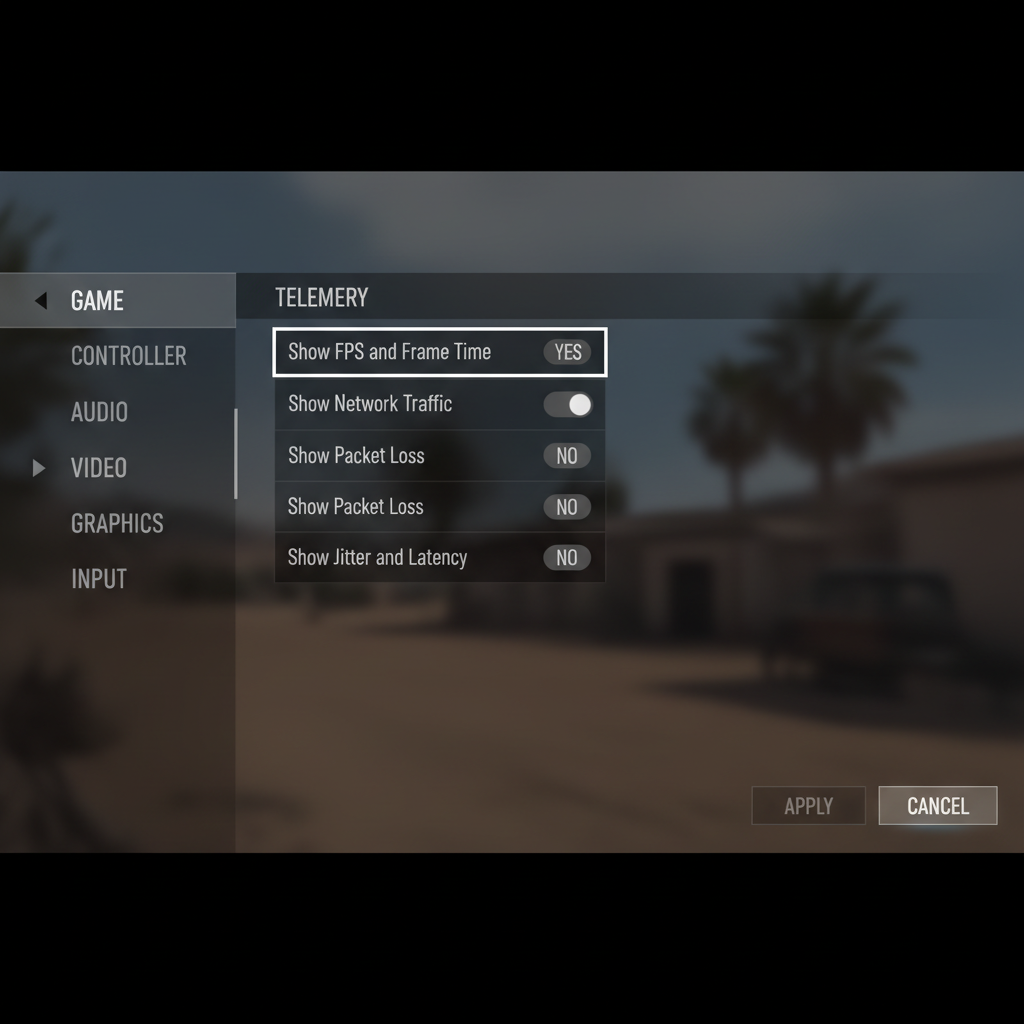
I tested both after the April 1 Animgraph 2 Beta dropped and picked up a consistent 8-12% FPS bump on my RTX 3070, which lines up with what Valve flagged in their patch notes for that update. Not life-changing. Enough to notice on Mirage mid.
Which CS2 stats tracker is best for checking performance?
Honest answer. Depends on what you care about.
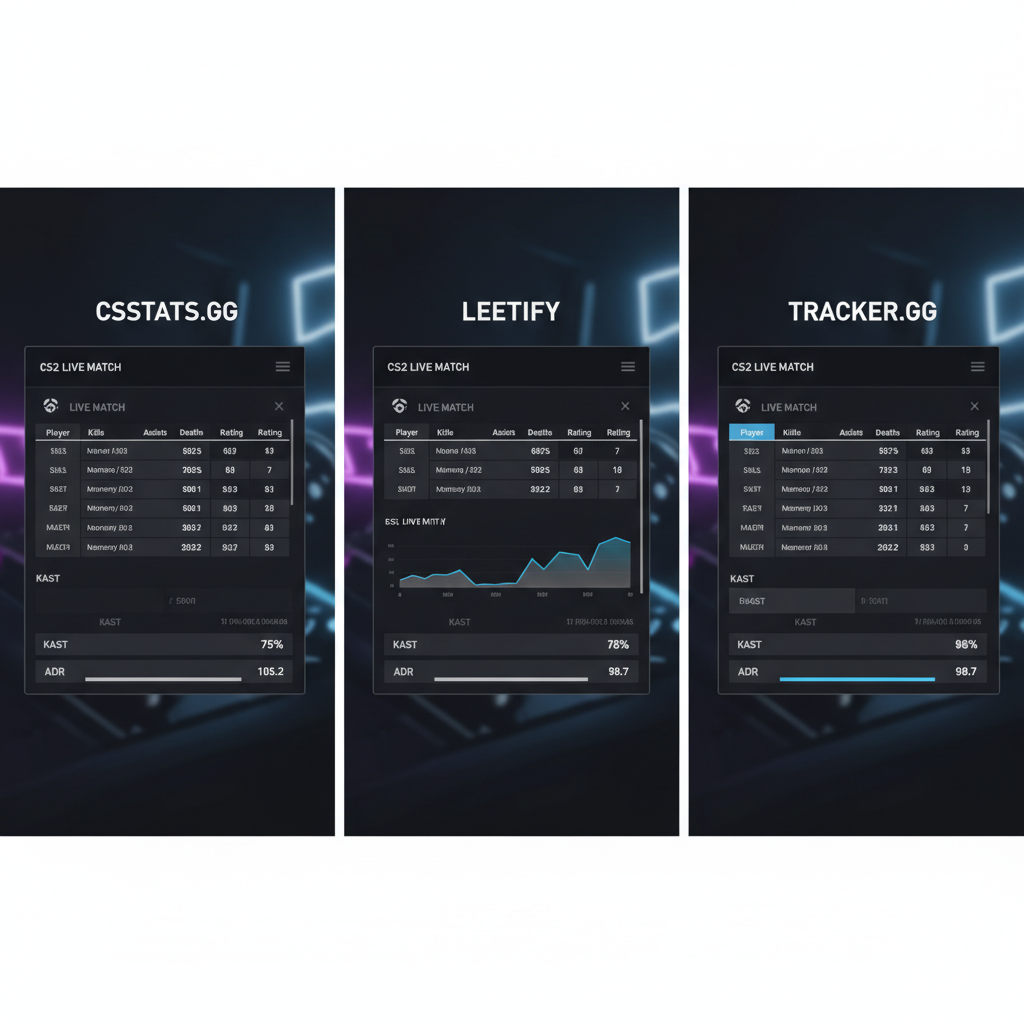
- csstats.gg is the fastest for a rank-and-match overview. Auto-tracks Premier and Competitive, charts your CS rating, and shows map win rates. If you just want a dashboard you can pull up between queues, this is it.
- Leetify goes deep on the why. It grades every round, scores your utility, and spits out a per-map aim/utility/positioning breakdown. Their Leetify Rating is described as a “win rate impact-based and economy-adjusted player rating system,” and it leans on HLTV pro data as the baseline.
- Tracker.gg has an Overwolf desktop app that overlays on top of the client, so you get something close to true real-time stats while you play. Windows only.
- Scope.gg and HLTV are more useful for demo review and pro-scene data than for grinding your own ladder.
My take. Leetify tells you more about your climb than your Premier CS rating does, and I think most hardstuck Silver players would jump two ranks in a month if they just read their KAST honestly (which, yeah, you’ll hate the first time you see it).
For the ranked grind piece, we break the climb down in our CS2 Premier ranking guide. Reading stats only helps if you understand the rating math under them.
What do ADR and KAST actually mean on your CS2 stats?
ADR is Average Damage per Round. KAST is the percent of rounds where you got a Kill, an Assist, Survived, or were Traded. Both are pulled straight from in-game data. And both matter more than your K/D for one reason: they measure impact, not just fragging.
A real example. I had an 0.8 K/D on Inferno last Thursday and still won 13-10, because my KAST was 78% and my util damage was over 90 per round. Meanwhile my duo went 22-14, ate every opening pick, and we lost those rounds anyway. Stats lie when you only read one.
The SkinLords scoreboard breakdown calls out that UD (utility damage) and EF (enemies flashed) are the two most slept-on columns, and I’d agree. Support players get punished by K/D and saved by KAST.
Do CS2 live stats update during ranked Premier matches?
The in-game scoreboard updates every round. The advanced columns (ADR, KAST, HS%) tick up live, and you can recheck them between rounds without leaving spawn. That part is genuinely real-time.
External trackers like csstats.gg and Leetify, on the other hand, only ingest matches after the end screen. They pull from Steam’s match history, not the live server. So if you’re trying to check cs2 stats during a match, the scoreboard is your only real option.
Overwolf apps like Tracker.gg’s desktop client sit in the middle. They can overlay basic live stats pulled from the game client, but they still depend on Steam for the historical numbers.
What CS2 performance stats should you actually watch?
If I had to pick three. ADR, KAST, and opening duel win rate. That’s it.
ADR tells you if your aim and positioning are generating damage. KAST tells you if you’re doing anything useful across rounds. Opening duel win rate tells you whether your rifle reads are ahead of your rank. Everything else (headshot percent, MVPs, even K/D) is noise you can check after the session on csstats.gg or Leetify.
One patch-specific note. The April 2026 update buffed the M4A1-S damage at range, which is already shifting ADR numbers upward on long-engagement maps like Thera. If your ADR jumped 6 points this week, it’s probably the gun, not you. Cope check.
If you’re tired of reading stats and just want a smurf or a rank up, grab a CS2 Premier boost and skip the hardstuck spiral.
FAQ
Does CS2 have built-in live stats during a match?
Yes. Tab opens the scoreboard, right-click gives you a cursor, and Cycle Stats flips through ADR, KAST, HS%, and flashes. Telemetry in Settings handles FPS and frame time separately.
Is net_graph still in CS2?
No. Use cq_netgraph 1 in console, or cl_showfps 2 if you just want FPS, tick, and ping without the full graph.
Are stat trackers like Leetify and csstats.gg safe to use?
Yes. They read public Steam match data, not game memory, so VAC isn’t a concern. Your profile has to be public for them to sync.
How do I see ADR and KAST mid-match?
Tab to open the scoreboard, right-click to unlock your cursor, click Cycle Stats. Advanced columns show up for the current match only.
Why aren’t my CS2 stats updating on csstats.gg?
Your Steam profile or game details are private. Flip both to public in Steam privacy settings and paste your profile URL into the tracker.
Check your scoreboard after every Premier match, not just the losses. ADR and KAST will tell you more about your climb than your rank icon ever will. If the numbers aren’t moving, the rank won’t either.
Sources:
– CS2 Live Stats guide, Exitlag
– CS2 net_graph commands, Totalcsgo
– Leetify Rating explained
– Counter-Strike Wiki Scoreboard page
– SteamDB April 2026 CS2 patch notes
– SkinLords CS2 leaderboard breakdown